OpenCode: How the Terminal AI Agent Works Like an Entire Engineering Department
"The terminal in front of you doesn't just write code — it operates like an entire department with builders, planners, and scouts, each playing its role without overstepping boundaries."
Section1. The Problem: Why Ordinary AI Coding Agents Aren't Enough
Picture this: it's 2 AM, the feature deadline is tomorrow morning, and your AI assistant — the chatbot in VS Code — asks you every 30 seconds, "Would you like me to do X?" Every time you hit "allow," it advances a little and stops again. Result: what should have taken 20 minutes takes two hours.
Or scenario two: you're working on a large repository — 50,000 files — and your AI agent greps everything, flooding your chat window with irrelevant results. Three hours of scrolling to find the function you need.
You'd think: "This is normal, AI agents just work this way." No — they don't have to.
The real problem is that existing AI coding tools operate on a single model: one agent, one chat, one permission level. The agent does everything itself — search, write, execute — and nothing stops it from dangerous operations except asking you first. There's no partitioning — the subagent doing search floods the main chat with everything it finds.
You think that's a clean architecture? It's not — it's exactly what will make you waste two hours on something that should take twenty minutes.
Section2. What is OpenCode?
OpenCode is a Go-based terminal AI coding agent that interacts with AI models directly through a TUI (Terminal User Interface). But what sets it apart isn't that it runs in the terminal — many tools do that. What sets it apart is that it operates as a complete multi-agent system:
- Primary Agents that manage sessions and represent the user
- Subagents specialized in specific tasks (search, research, multi-step work)
- Hooks that let you control every tool call before it executes
- Permissions triad (Allow/Ask/Deny) that protects you from mistakes
- Skills via SKILL.md files that extend capabilities without modifying code
OpenCode is an open-source project built with Go that functions as a terminal AI coding agent. The project is actively developed and supports a complete multi-agent architecture.
Note: Throughout this article we focus on OpenCode as a single project. The config file is
.opencode.jsonand the CLI command isopencode.
Section3. The Operator Topology: Primary Agents and Subagents
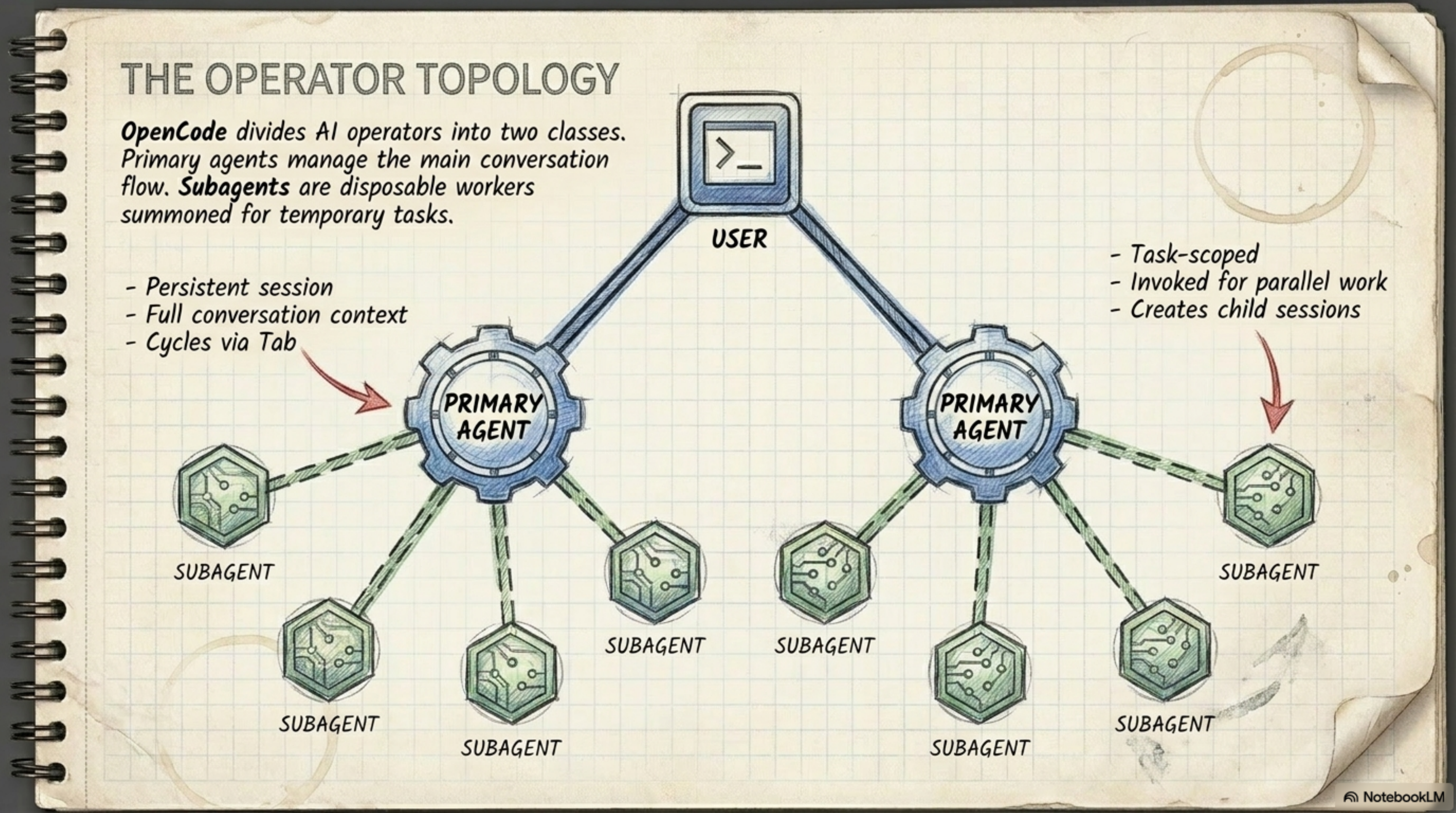
Imagine you're a department manager — you have full-time staff (Primary Agents) and on-demand specialists (Subagents).
Primary Agents: Build and Plan
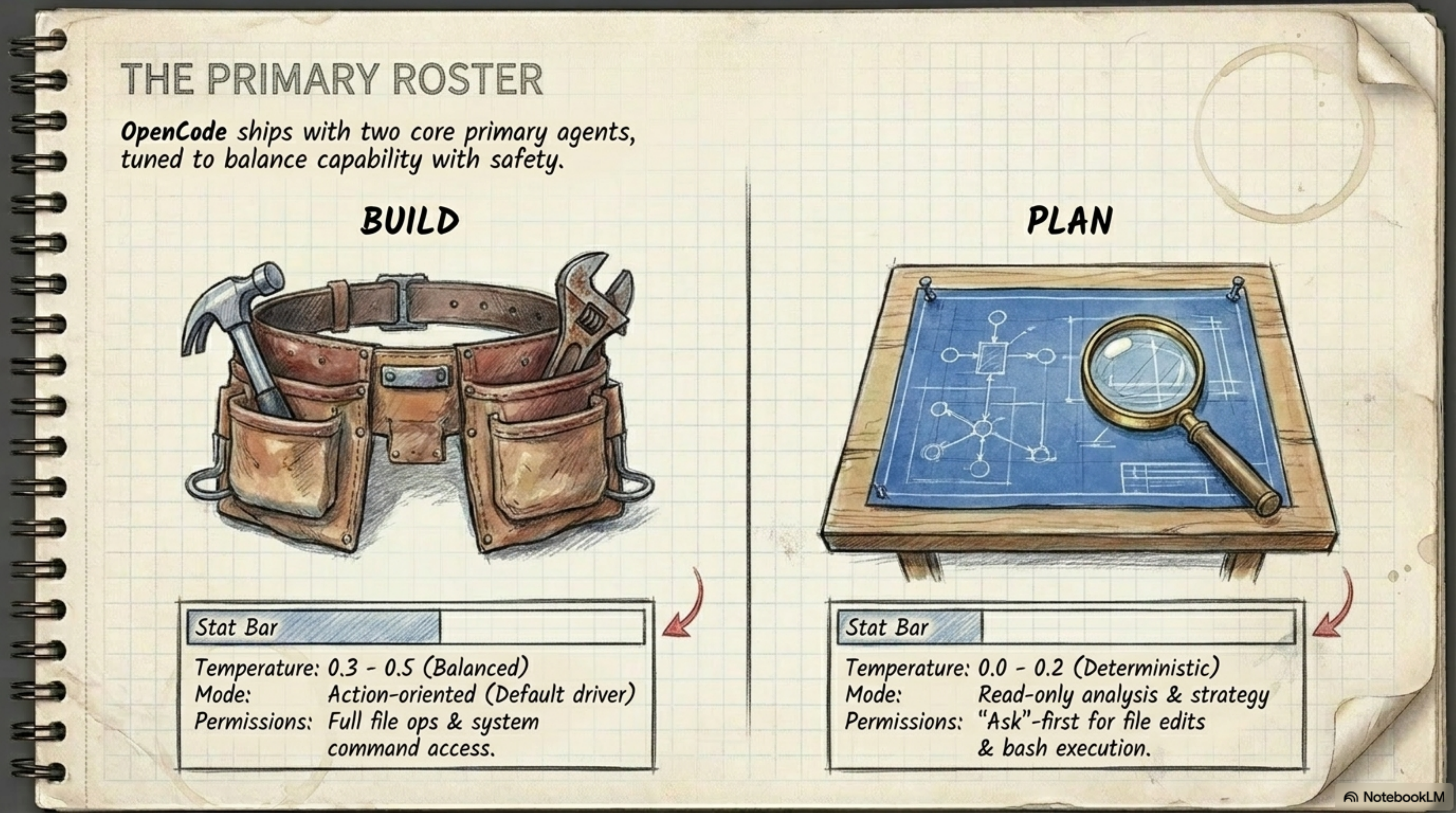
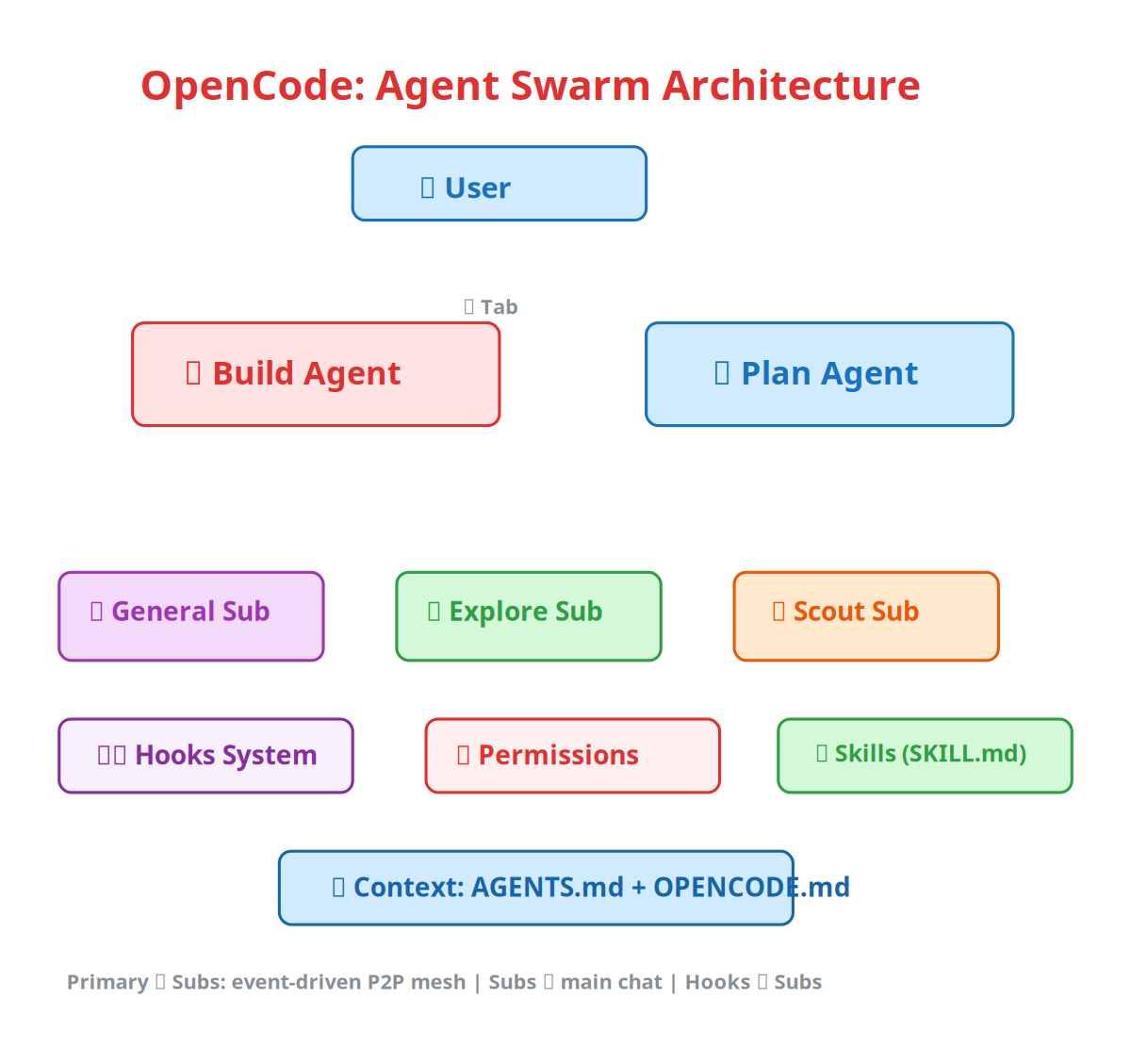
The system runs two primary agents that manage the conversation with you:
| Agent | Role | Temperature | Permissions |
|---|---|---|---|
| Build | Default driver — does everything (writes code, runs tests, modifies files) | 0.3–0.5 (Balanced) | Full file ops + system command access |
| Plan | Analyst — reads and understands only, asks permission before modifying | 0.0–0.2 (Deterministic) | Ask-first for file edits + bash |
The Build agent is who you talk to most — the executor. The Plan agent is the thinker — it analyzes and says "this approach is better because..." but doesn't do anything without your approval.
You can switch between agents at any time with Tab in the TUI. Start a session with Build to write a feature, then switch to Plan and ask it to "analyze the architecture of what we just wrote and check for issues."
Subagents: General, Explore, and Scout
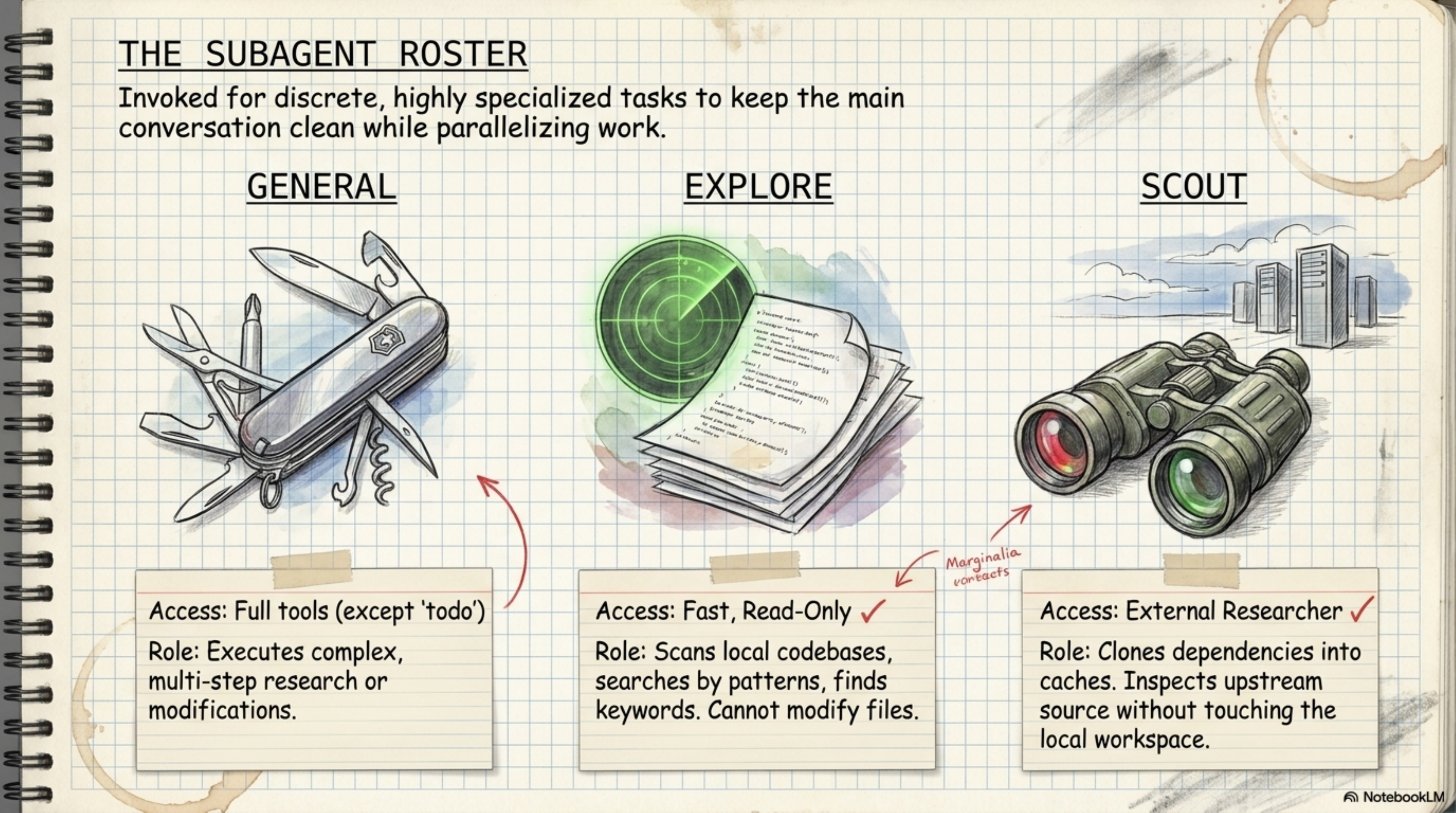
These are the specialists that get summoned only when a Primary Agent needs them:
General — the Swiss Army knife:
- Access: Full tools (except
todo) - Role: Executes complex, multi-step research or modification tasks
Explore — the radar:
- Access: Fast, Read-only — only
glob,grep,ls,view - Role: Scans the local codebase, searches by patterns and keywords, but never modifies any file
Scout — the binoculars for looking far:
- Access: External researcher — clones dependencies into managed cache
- Role: Researches external documentation and upstream source without touching the local workspace
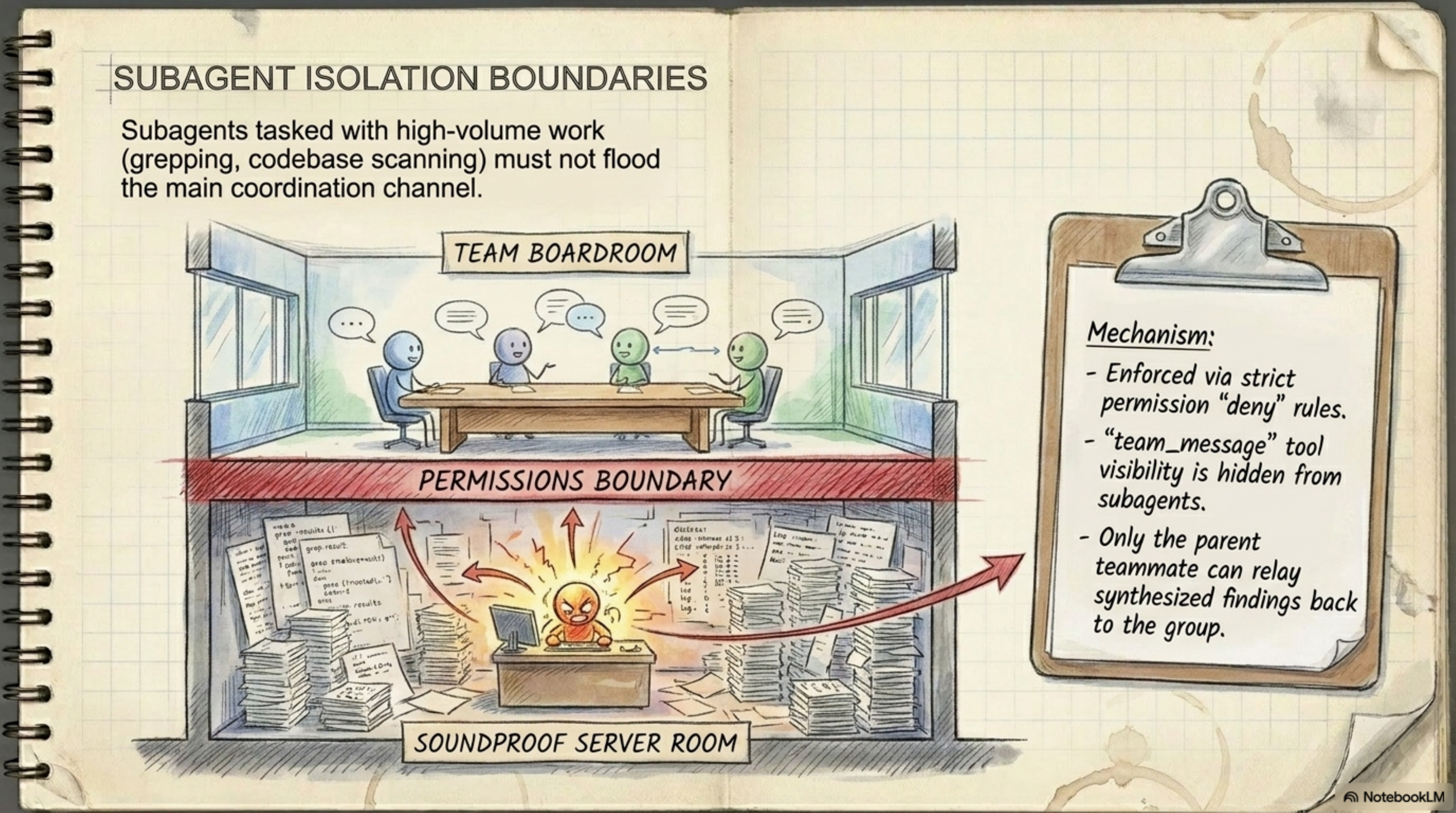
The key point — Subagents do not speak in the main channel. When the Explore agent greps 10,000 files, it doesn't flood your chat window — because the team_message tool is not available to them. Only the Primary Agent can relay synthesized findings to you.
Section4. The Messaging Architecture: Why Event-Driven Is Dramatically Better
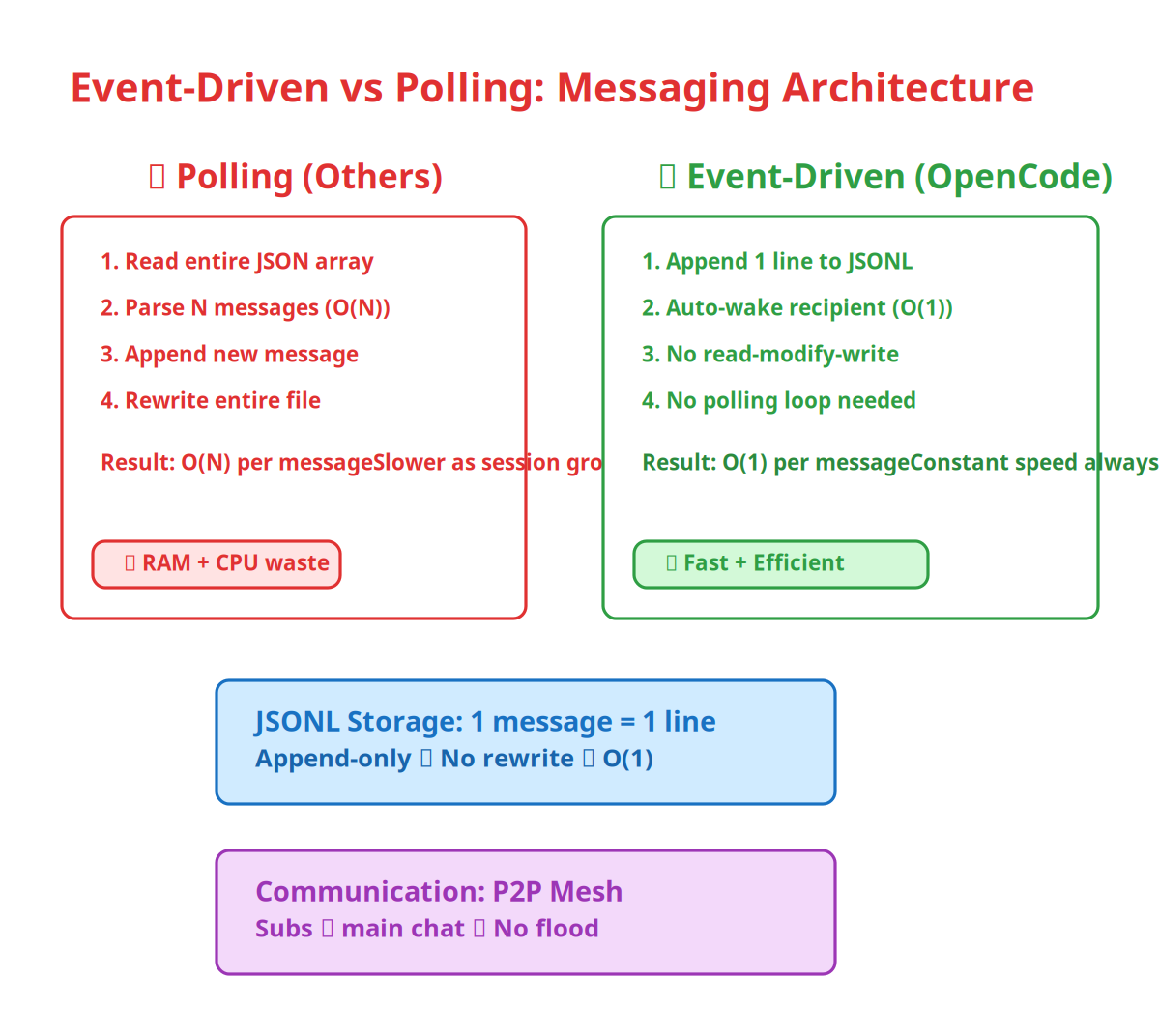
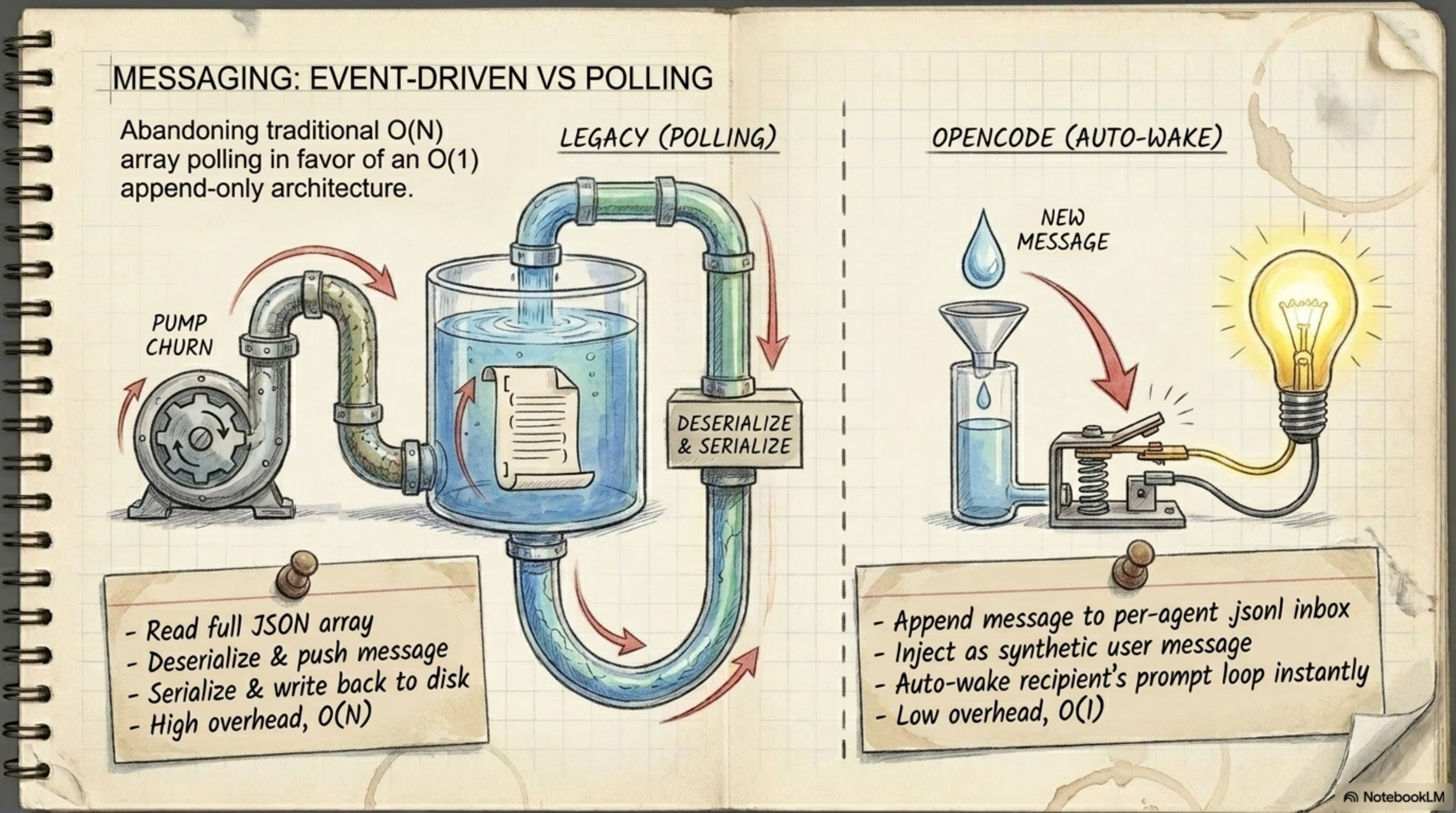
Let's talk about something nobody discusses but it's what separates OpenCode from every other agent: the messaging approach.
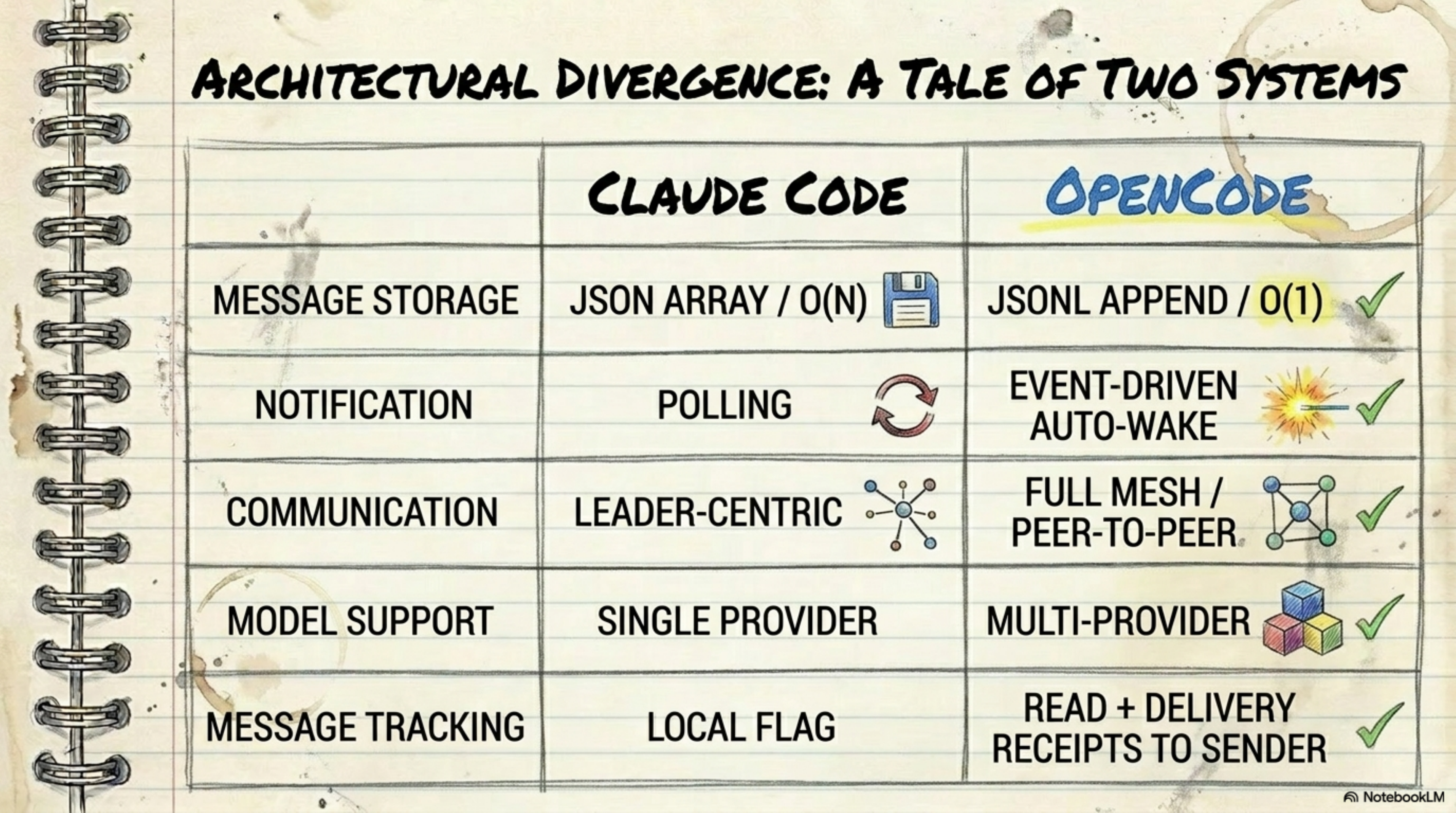
Other agents (like Claude Code) use polling — they periodically read the entire JSON array, add a new message, and rewrite the whole thing. This is O(N) — the longer the conversation, the slower the operation.
OpenCode uses event-driven auto-wake:
- Each message is appended as a line in a JSONL file — O(1)
- The recipient is auto-woken immediately when a new message is written
- No polling, no read-modify-write cycle
This difference isn't just theoretical — in long sessions (which is the normal mode for coding), the polling approach consumes more RAM and CPU and gets progressively slower. The append-only approach stays fast from start to finish.
Section5. The Permission Triad: Allow, Ask, and Deny
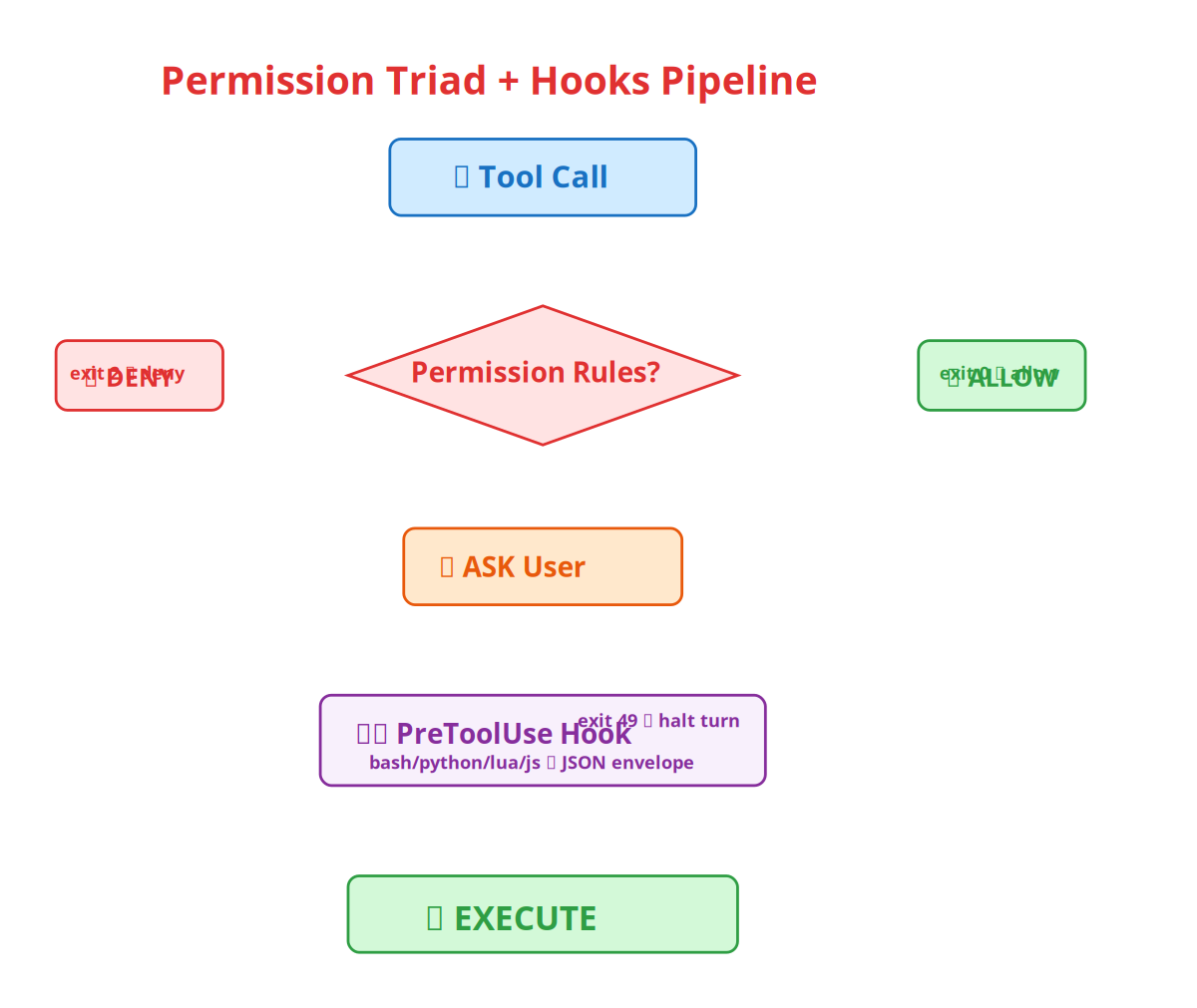
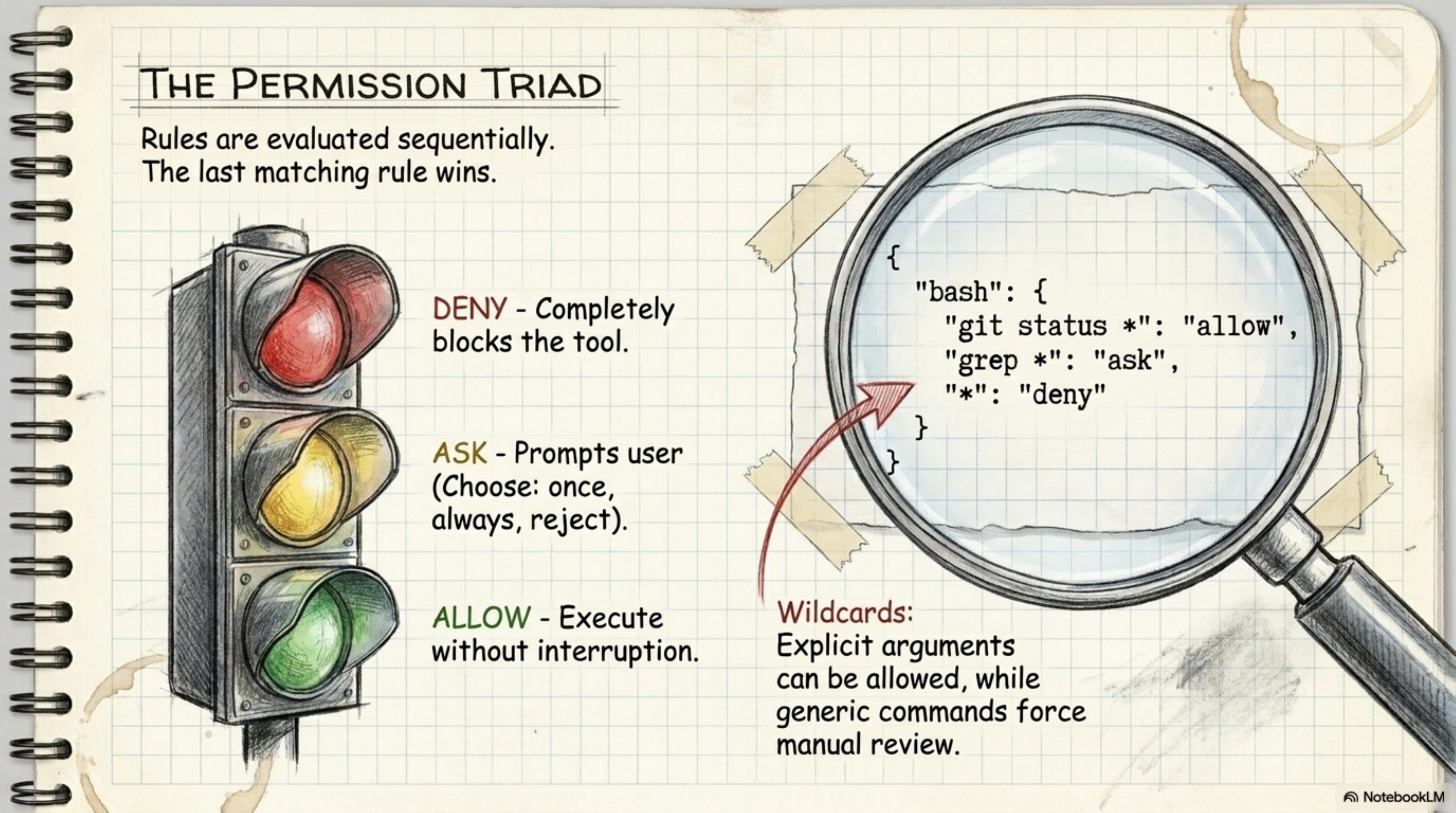
You might ask: "So the AI agent will just do things without asking me?" No — the system is built on a triad of permissions:
| State | Meaning | Example |
|---|---|---|
| ALLOW | Execute without asking | git status * — safe command |
| ASK | Ask you first, you choose | grep * — potentially risky |
| DENY | Blocked completely | rm -rf / — dangerous |
The rule: the last matching rule wins. So you can do:
{
  "permissions": {
    "bash": {
      "rules": [
        { "pattern": "git status *", "decision": "allow" },
        { "pattern": "grep *", "decision": "ask" },
        { "pattern": "*", "decision": "deny" }
      ]
    }
  }
}
This means: allow git status, ask for grep, and deny everything else. Then there's --yolo mode if you want everything to execute without prompts:
opencode--yolo# ⚠️ All tool calls execute without permission prompts
And then there are hooks that let you create dynamic permissions — instead of writing a rule for every command, you write a script that runs before each tool call and decides:
{
  "hooks": {
    "PreToolUse": [
      {
        "matcher": "^(view|ls|grep|glob)$",
        "command": "echo '{\"decision\":\"allow\"}'"
      }
    ]
  }
}
Section6. The Hooks System: Control That No Other Tool Offers
Hooks are the system that lets you control the AI agent in a deterministic way — you don't rely on the model "understanding" that it shouldn't do something; you write a rule and it executes.
How it works
- Every time the agent makes a tool call, the system checks if a hook is registered
- If there's a hook, it runs your script (bash, python, lua, js — any language)
- The script receives JSON input on stdin and outputs JSON on stdout
- Based on the output, the system decides: allow (execute), deny (reject), or halt (stop the entire turn)
Available Environment Variables
| Variable | Description |
|---|---|
OPENCODE | Always 1 when running under OpenCode |
OPENCODE_TOOL_NAME | Tool being called (e.g. bash) |
OPENCODE_TOOL_INPUT_COMMAND | The command for bash tool calls |
OPENCODE_TOOL_INPUT_FILE_PATH | The file path for file tools |
OPENCODE_SESSION_ID | Current session ID |
OPENCODE_CWD | Working directory |
Practical Examples
1. Block rm -rf on root:
#!/usr/bin/env bash
ifecho"$OPENCODE_TOOL_INPUT_COMMAND"|grep-qE'rm\s+-(rf|fr)\s+/';then
echo"Refusing to run rm -rf against root">&2
exit2# Block tool
fi
2. Inject context when editing Go files:
#!/usr/bin/env bash
if[["$OPENCODE_TOOL_INPUT_FILE_PATH"==*.go]];then
echo'{"context": "Remember: run gofumpt after editing Go files."}'
else
echo'{}'
fi
3. Halt the turn on drop database:
#!/usr/bin/env bash
ifecho"$OPENCODE_TOOL_INPUT_COMMAND"|grep-qE'drop\s+database';then
echo"Database drop detected — halting turn">&2
exit49# Halt entire turn
fi
Section7. The Skills System: Extending Capabilities Without Modifying Code
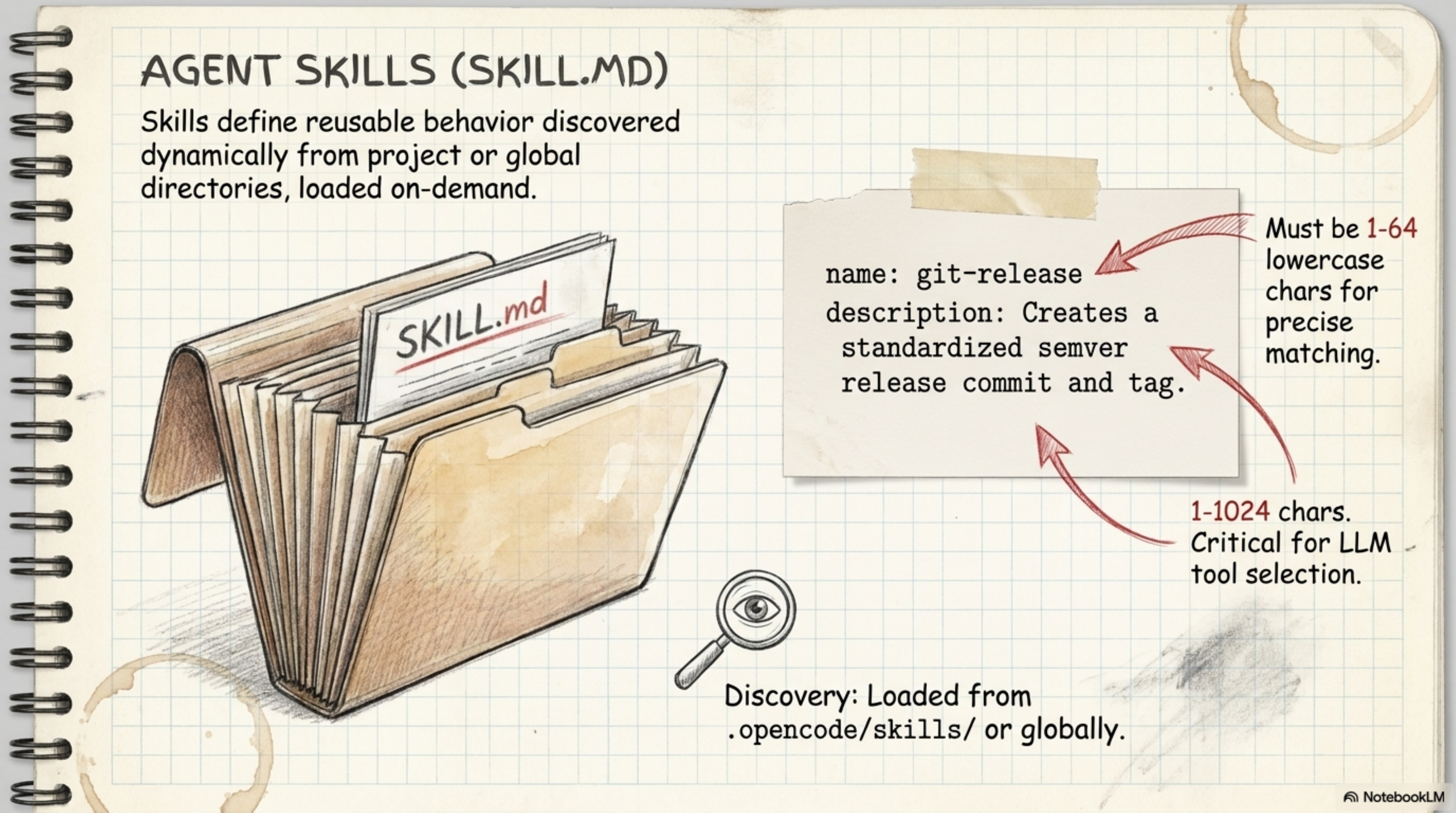
Skills are OpenCode's way of extending capabilities through Markdown files — not through programming. Each skill is a folder containing a SKILL.md file with YAML frontmatter + instructions:
name: git-release
description: Creates a standardized semver release commit and tag.
user-invocable: true
disable-model-invocation: true

# Git Release Skill

Instructions for creating a semver release...
How the agent finds skills
The system scans these paths in order:
Global (user-level):
$XDG_CONFIG_HOME/opencode/skills/or~/.config/opencode/skills/~/.agents/skills/~/.claude/skills/
Project-level:
.agents/skills.opencode/skills.claude/skills
The rule: the last skill with the same name wins — if you have a git-release skill in global and another with the same name in the project, the project version takes precedence.
Built-in Skills
| Skill | Description |
|---|---|
opencode-config | Teaches the agent how to configure itself |
opencode-hooks | Teaches the agent how to write and debug hooks |
jq | Built-in JSON processor (gojq) — no installation needed |
Section8. Context Files: How the Agent Understands Your Project
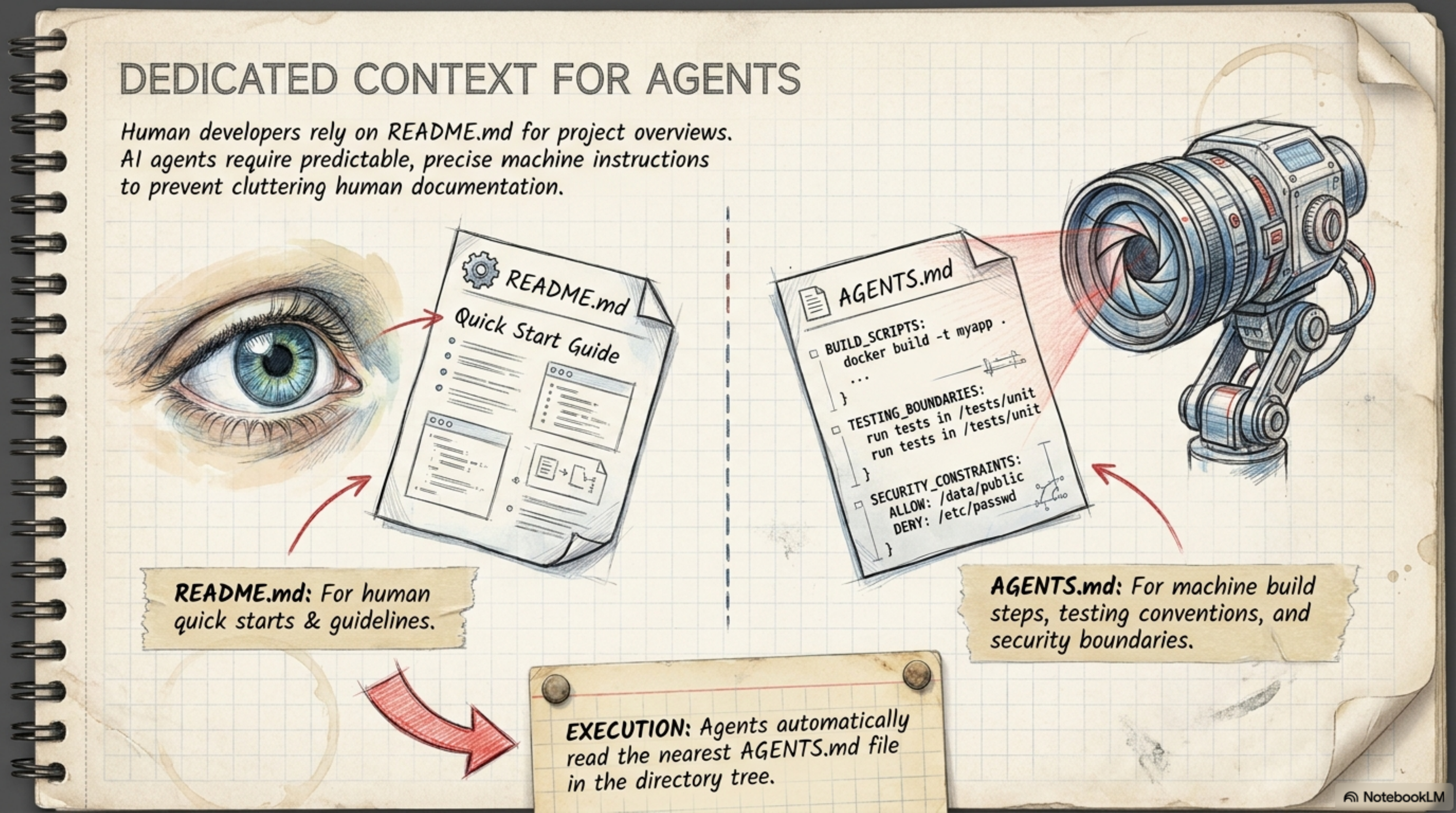
Context files are where you put instructions for the agent to follow. In OpenCode the config file is .opencode.json — but there are also separate context files:
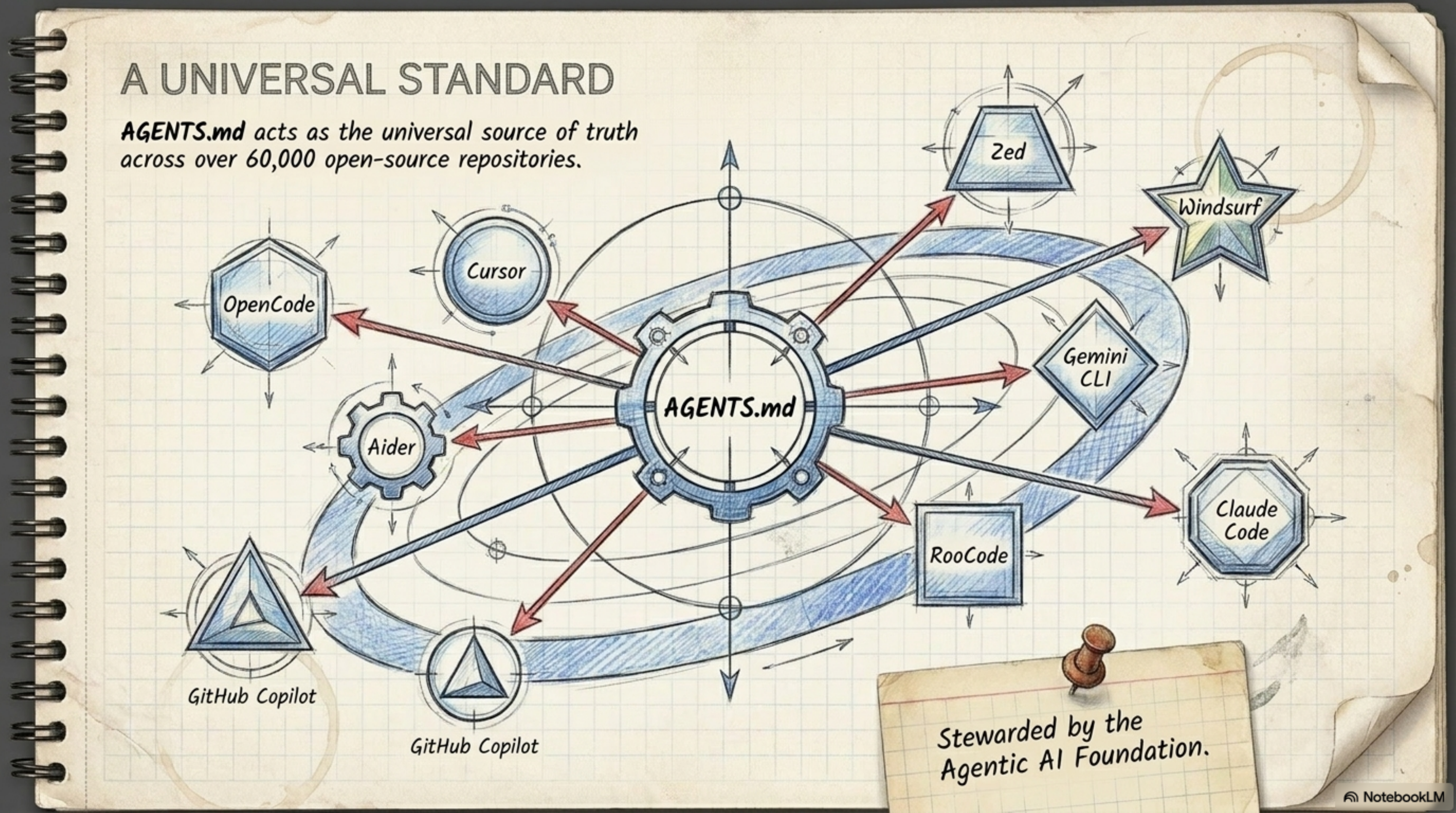
Paths the agent reads
| Path | Type |
|---|---|
AGENTS.md | Universal standard — all AI agents understand it |
OPENCODE.md / opencode.md | OpenCode-specific |
CLAUDE.md | Claude Code-specific |
.cursorrules | Cursor-specific |
GEMINI.md | Gemini-specific |
.github/copilot-instructions.md | GitHub Copilot |
The beauty of AGENTS.md is that it's become a universal standard read by over 60,000 open-source repositories — write your instructions once in AGENTS.md and all agents (Cursor, Claude Code, Copilot, Windsurf, Zed, etc.) will understand them.
Section9. Crash Recovery: What Happens When the Server Goes Down?
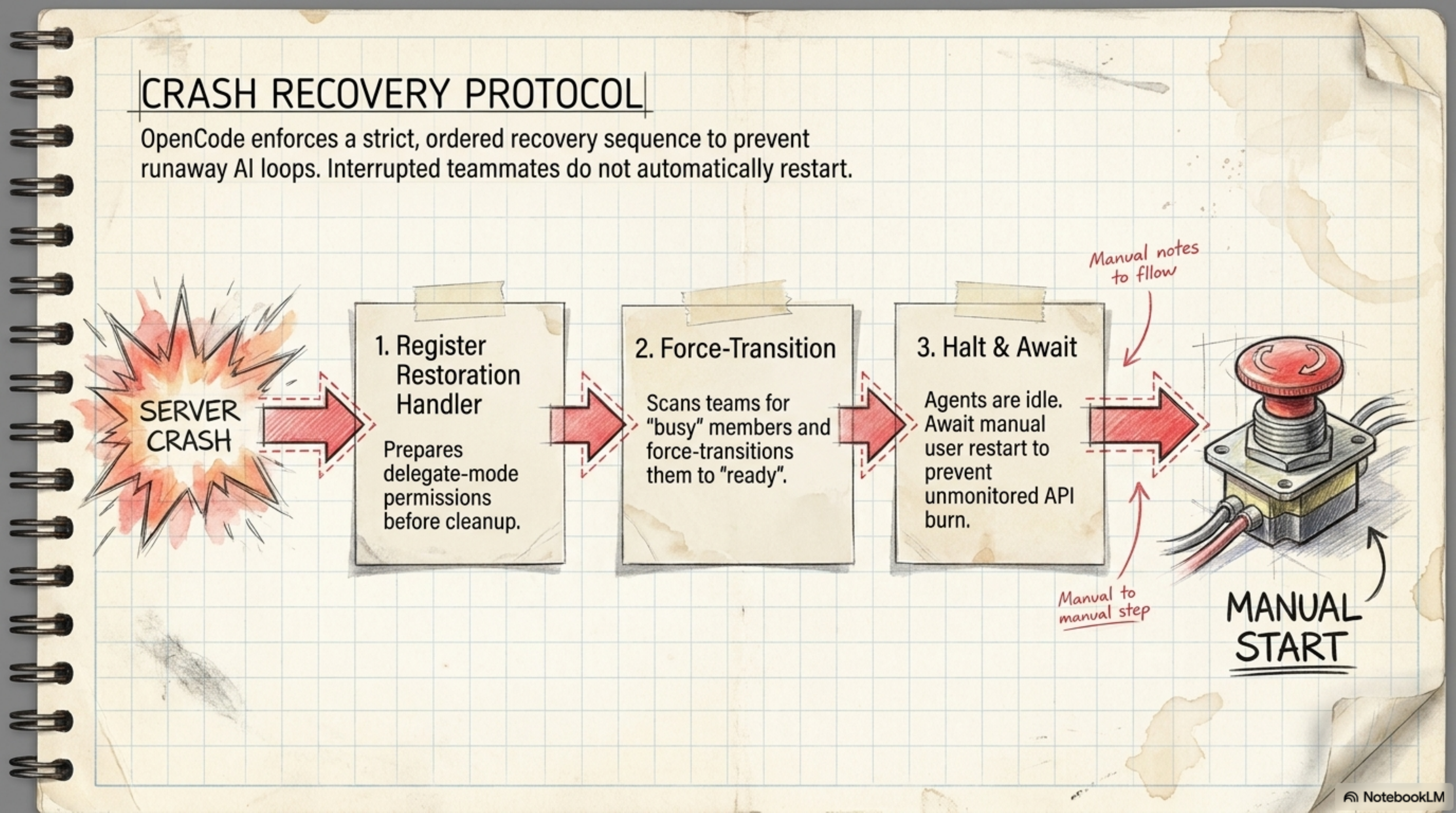
You'd think that when the server crashes and agents were running, they'd automatically restart and continue their work? No — that's exactly what would have you wake up to find four autonomous agents burning API credits all night on a stale task.
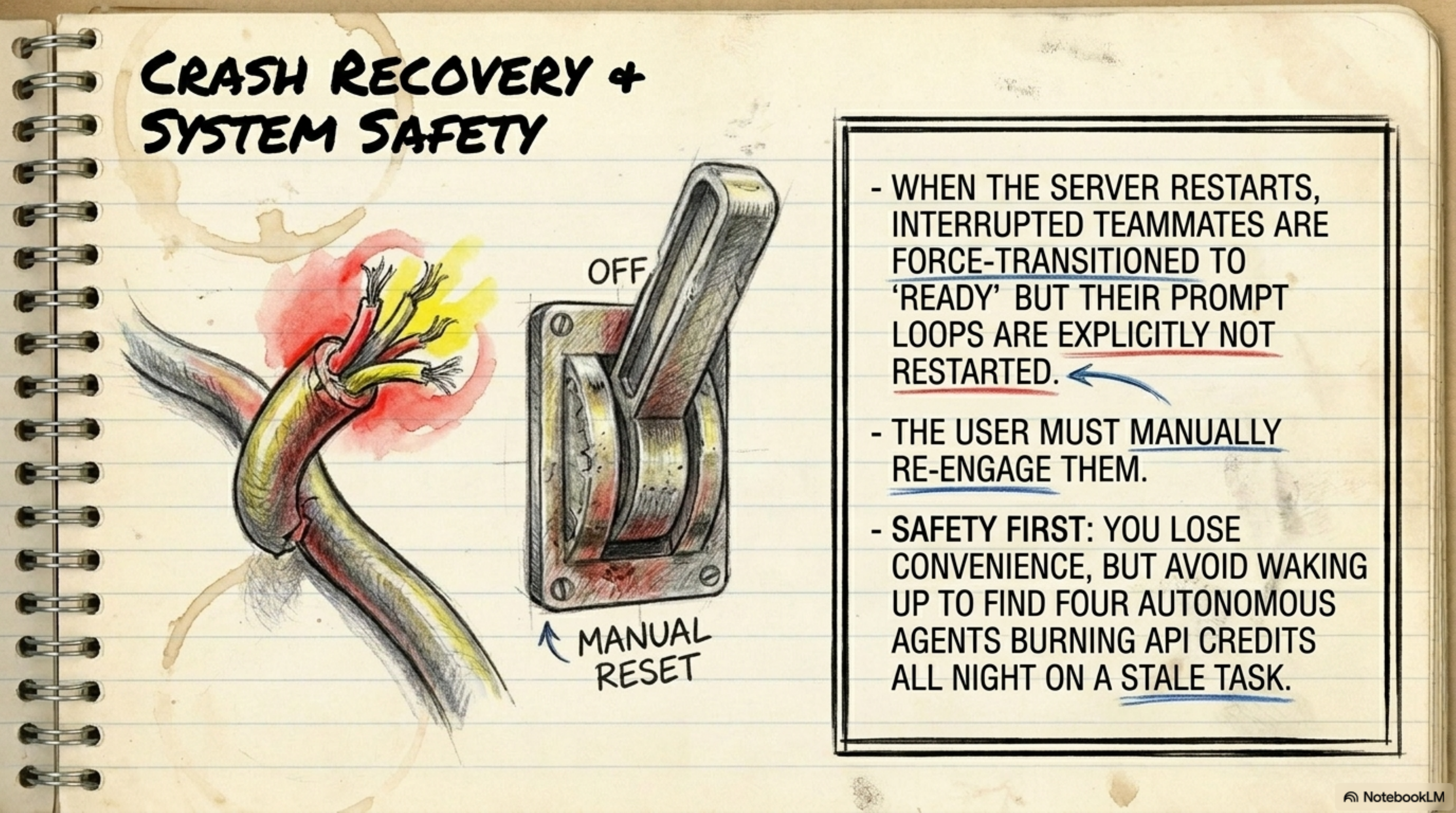
When the system recovers from a crash, it does three things in order:
- Register Restoration Handler — prepares delegate-mode permissions before cleanup
- Force-Transition — scans for "busy" agents and transitions them to "ready"
- Halt & Await — stops. Does not restart agents automatically. You must manually start them.
The system does automatic cleanup, but the human must press the button to continue. This protects you from unintentional API burn.
Section10. Hidden Orchestrators: Background Agents You Don't See
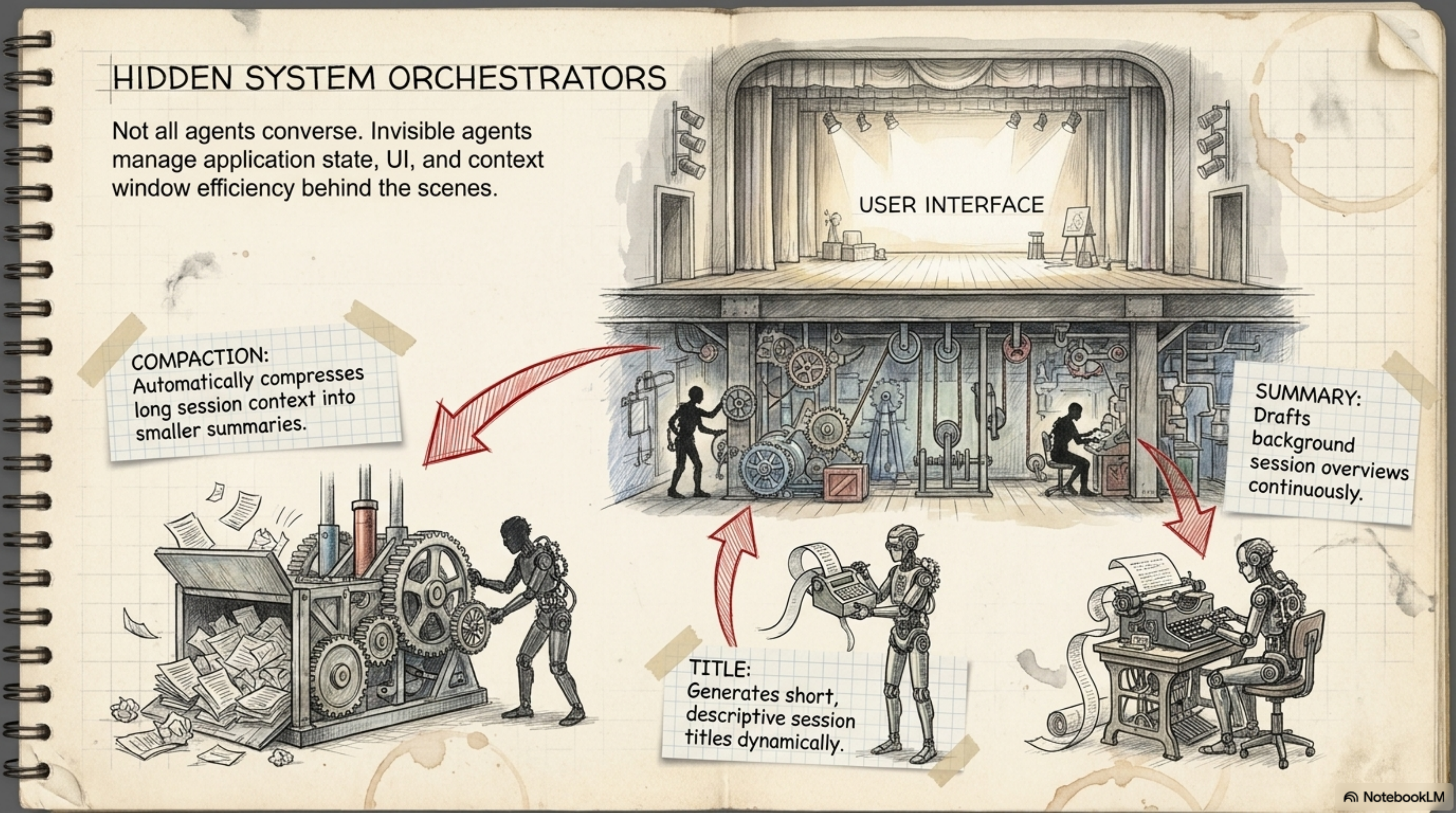
Three agents work in the background without you noticing:
Compaction — when the context window approaches its limit (95%), this agent automatically summarizes the conversation and creates a new session with the summary. No more sudden session cutoffs.
Title — generates automatic names for each session so you can find them quickly. Instead of "session 3a7f" you see "Fix auth middleware CORS issue".
Summary — continuously creates background overviews so if you return to an old session, you find the context written out.
Section11. Configuration: How to Set Everything Up
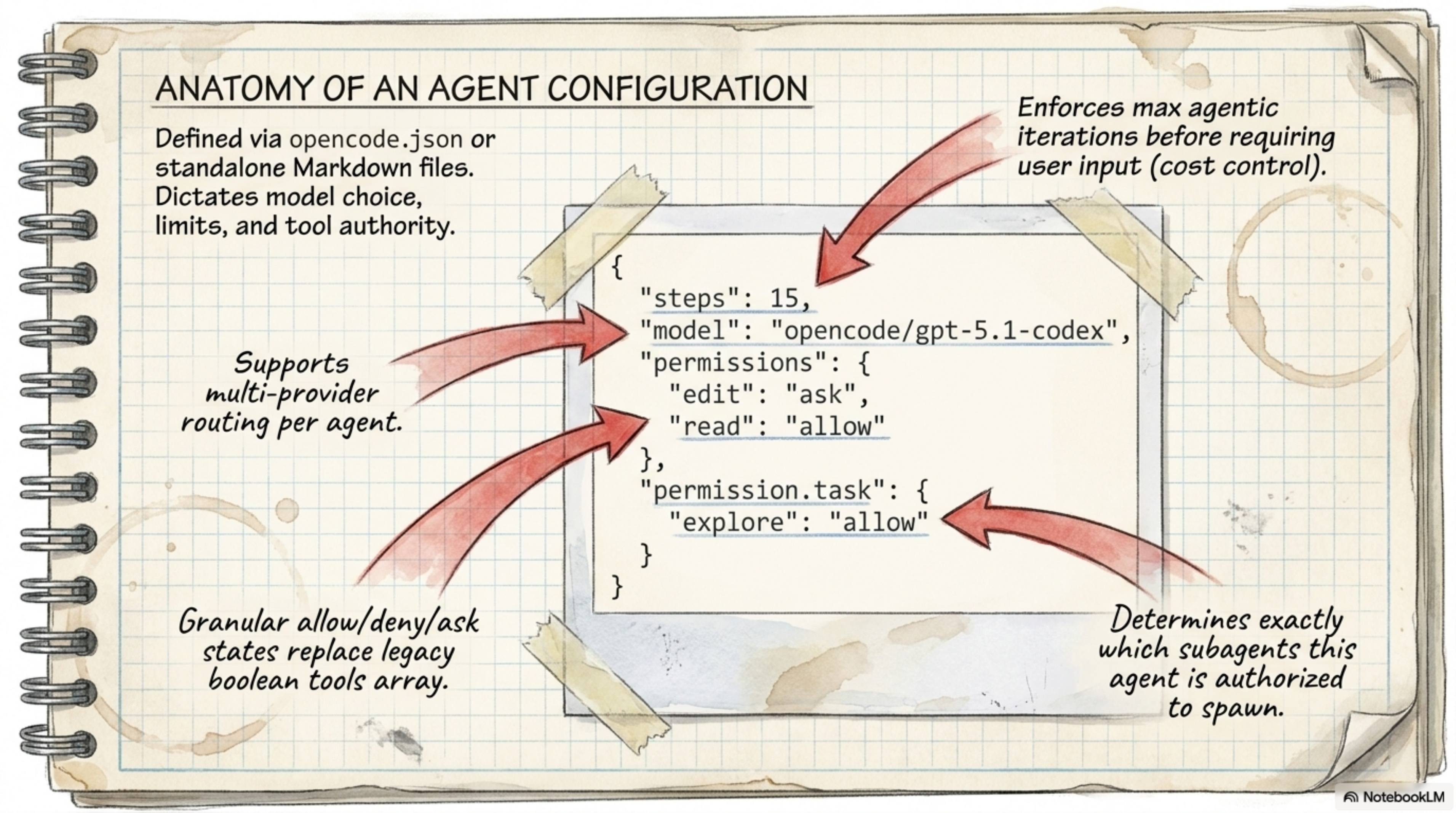
The config file is .opencode.json. The key point is you can configure everything:
{
  "agents": {
    "coder": {
      "model": "anthropic.claude-sonnet-4",
      "maxTokens": 5000,
      "reasoningEffort": "medium"
    },
    "task": {
      "model": "anthropic.claude-sonnet-4",
      "maxTokens": 5000
    },
    "title": {
      "model": "anthropic.claude-sonnet-4",
      "maxTokens": 80
    }
  },
  "providers": {
    "anthropic": { "apiKey": "$ANTHROPIC_API_KEY" },
    "openai": { "apiKey": "$OPENAI_API_KEY" }
  },
  "mcp": {
    "github": {
      "type": "http",
      "url": "https://api.githubcopilot.com/mcp/",
      "headers": { "Authorization": "Bearer $GH_PAT" }
    }
  },
  "permissions": {
    "allowed_tools": ["view", "ls", "grep", "glob", "edit"]
  },
  "options": {
    "context_paths": ["AGENTS.md", ".cursorrules"],
    "global_context_paths": ["~/.config/opencode/OPENCODE.md"]
  }
}
Available Providers
| Provider | Environment Variable | Notes |
|---|---|---|
| Anthropic | ANTHROPIC_API_KEY | Claude models |
| OpenAI | OPENAI_API_KEY | GPT models |
| Google Gemini | GEMINI_API_KEY | Gemini models |
| AWS Bedrock | AWS_ACCESS_KEY_ID | Claude via AWS |
| Azure OpenAI | AZURE_OPENAI_ENDPOINT | GPT via Azure |
| OpenRouter | OPENROUTER_API_KEY | Multi-model access |
| GitHub Copilot | GITHUB_TOKEN | Free tier available |
| Groq | GROQ_API_KEY | Fast inference |
| Ollama | Local endpoint | Self-hosted models |
| LM Studio | Local endpoint | Self-hosted models |
You can also add custom providers via type: "openai-compat" or type: "anthropic-compat" — so if you have a model running on your own endpoint, you can connect it easily.
Section12. MCP Integration: Model Context Protocol
MCP (Model Context Protocol) is a system that lets the AI agent communicate with external tools. Instead of the agent being confined to the terminal, it can open GitHub issues, send Slack messages, read from databases — all through MCP servers.
{
  "mcp": {
    "github": {
      "type": "http",
      "url": "https://api.githubcopilot.com/mcp/",
      "headers": { "Authorization": "Bearer $GH_PAT" }
    },
    "filesystem": {
      "type": "stdio",
      "command": "npx",
      "args": ["-y", "@modelcontextprotocol/server-filesystem", "/path/to/dir"],
      "disabled_tools": ["write_file"]
    }
  }
}
Available types:
stdio— runs a local process (like npx)http— connects to an HTTP endpointsse— Server-Sent Events
Section13. LSP Integration: Code Intelligence
LSP (Language Server Protocol) is what lets the agent understand code more deeply — instead of just grepping for text, it can go to definition, find references, and get diagnostics.
Built-in LSP support:
- gopls — Go
- typescript-language-server — TypeScript/JavaScript
- nixd — Nix
You can add custom LSPs:
{
  "lsp": {
    "rust-analyzer": {
      "command": "rust-analyzer",
      "filetypes": ["rs"],
      "root_markers": ["Cargo.toml"]
    }
  }
}
Section14. The TUI: Keyboard Shortcuts
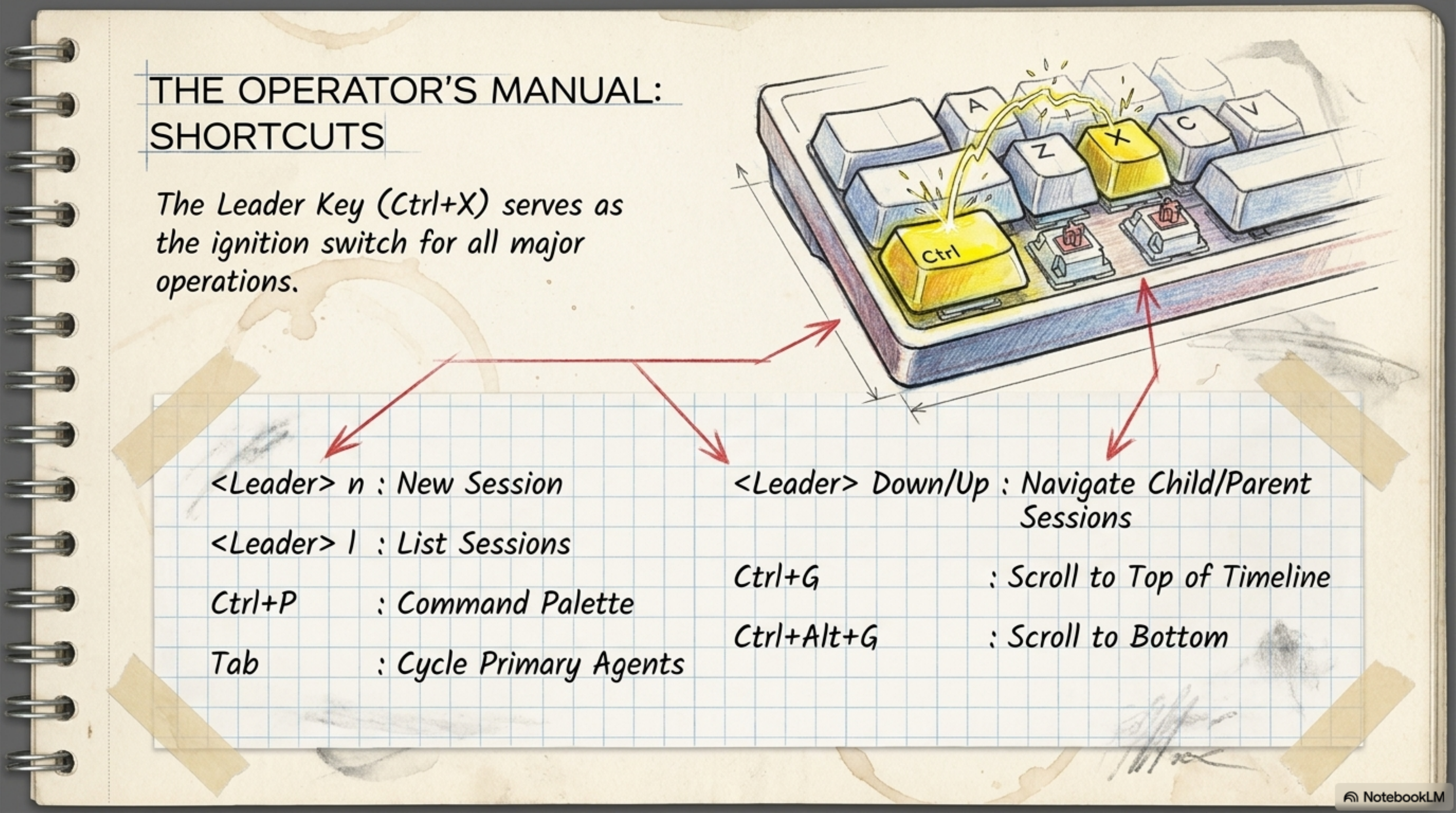
| Shortcut | Action |
|---|---|
Ctrl+X | Leader key (start of all shortcuts) |
Leader n | New session |
Leader l | List sessions |
Ctrl+P | Command palette |
Tab | Cycle Primary Agents |
Leader ↓/↑ | Navigate child/parent sessions |
Ctrl+G | Scroll to top |
Ctrl+Alt+G | Scroll to bottom |
Section15. The Context-to-Collaboration Pipeline
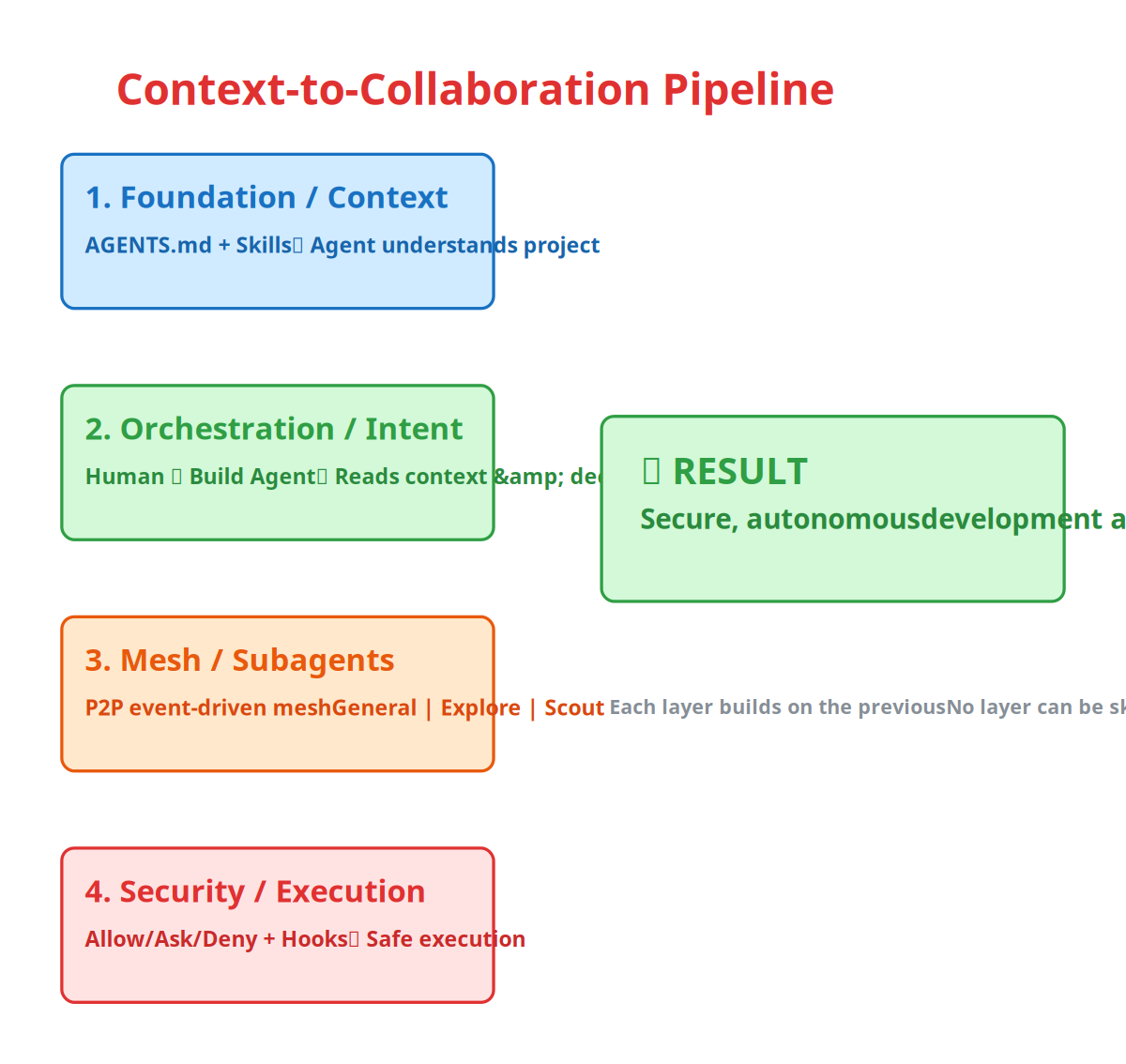
Let's see the full pipeline from start to finish:
-
Foundation / Context — AGENTS.md and skills build the foundation. This is what makes the agent understand how the project works.
-
Orchestration / Human Intent — You as a user tell the Build agent "do X", and the agent reads the context and decides how to execute.
-
Mesh / Subagent Deployment — The Build agent summons Subagents (General, Explore, Scout) via a peer-to-peer event-driven mesh — not through a central coordinator.
-
Security / Safe Execution — All tool calls pass through the permission system (Allow/Ask/Deny) and hooks before execution.
Result? Secure, highly autonomous development at scale.
Section16. Comparison: OpenCode vs. Claude Code
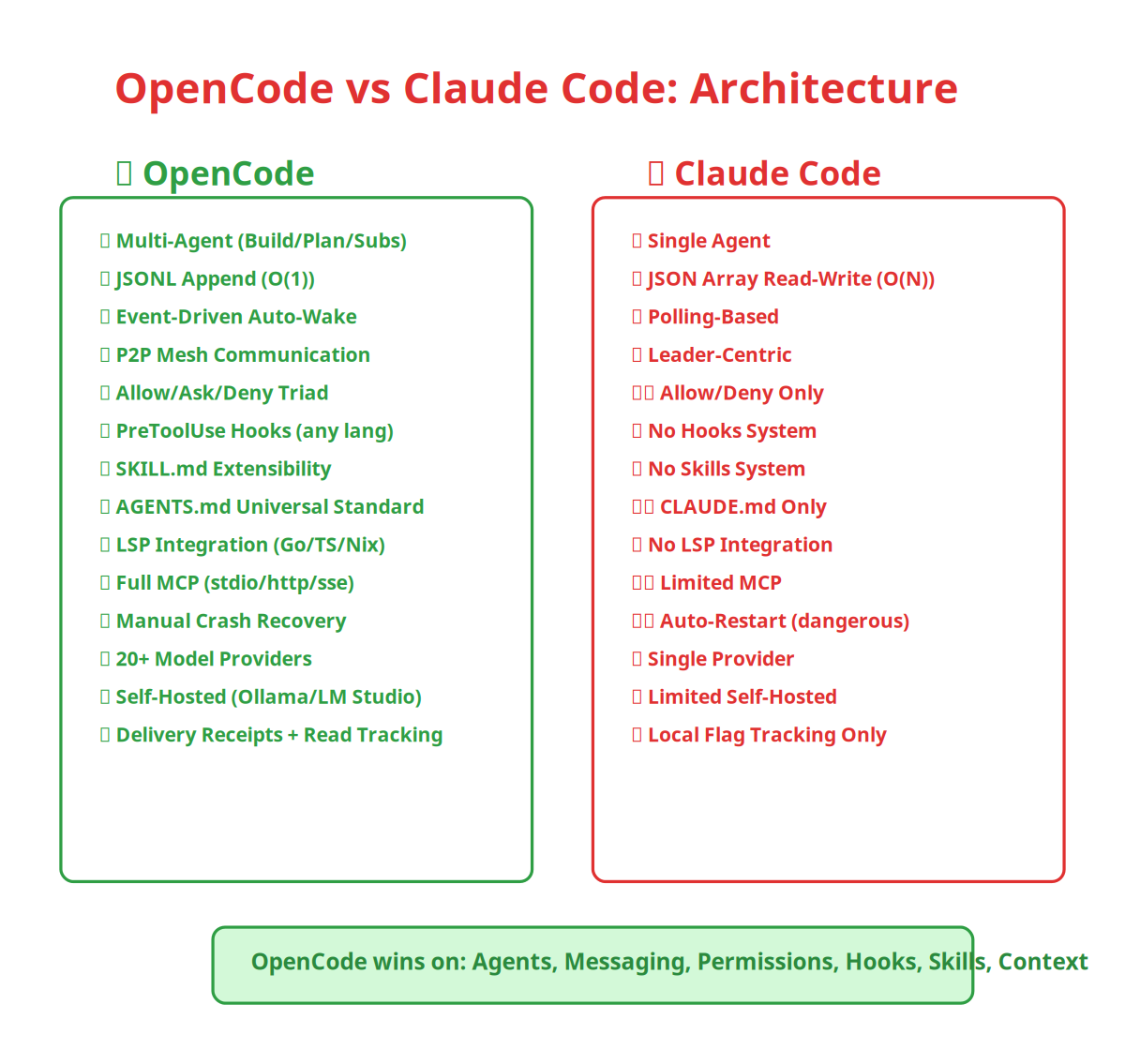
| Feature | Claude Code | OpenCode |
|---|---|---|
| Message Storage | JSON Array / O(N) | JSONL Append / O(1) |
| Notification | Polling | Event-Driven Auto-Wake |
| Communication | Leader-Centric | Full Mesh / P2P |
| Model Support | Single Provider | Multi-Provider (20+) |
| Message Tracking | Local Flag | Read + Delivery Receipts |
| Agent System | Single Agent | Multi-Agent (Build/Plan + Subs) |
| Permissions | Allow/Deny | Allow/Ask/Deny Triad |
| Hooks | No | PreToolUse (any language) |
| Skills | No | SKILL.md system |
| Context Files | CLAUDE.md only | AGENTS.md + OPENCODE.md + CLAUDE.md + GEMINI.md + .cursorrules |
| LSP | No | Go, TS, Nix + custom |
| MCP | Limited | Full (stdio, http, sse) |
| Crash Recovery | Auto-restart (dangerous) | Manual start (safe) |
| Self-hosted Models | Limited | Ollama, LM Studio, LiteLLM |
Section17. Key Rules and Gotchas
| Rule | Details | Why It Matters |
|---|---|---|
| Build agent doesn't commit on its own | You must explicitly say "commit" | So it doesn't push something you haven't reviewed |
| Subagents don't speak in the main channel | team_message tool not available to them | So they don't flood the chat window |
| Crash recovery requires manual start | Agents transition to "ready" but don't restart | To prevent API burn overnight |
| Skills are scanned each time | From 6+ paths (global + project) | So if you delete a project skill it disappears immediately |
| Context window auto-compacts | At 95% it summarizes | So sessions don't break suddenly |
| Hooks only fire on the top-level agent | Not on Subagents | Because Subagents are trusted (read-only or scoped) |
| Last permission rule wins | git status *: allow then *: deny | So you can allow specific commands and deny everything else |
Section18. Conclusion
So what does all of this mean?
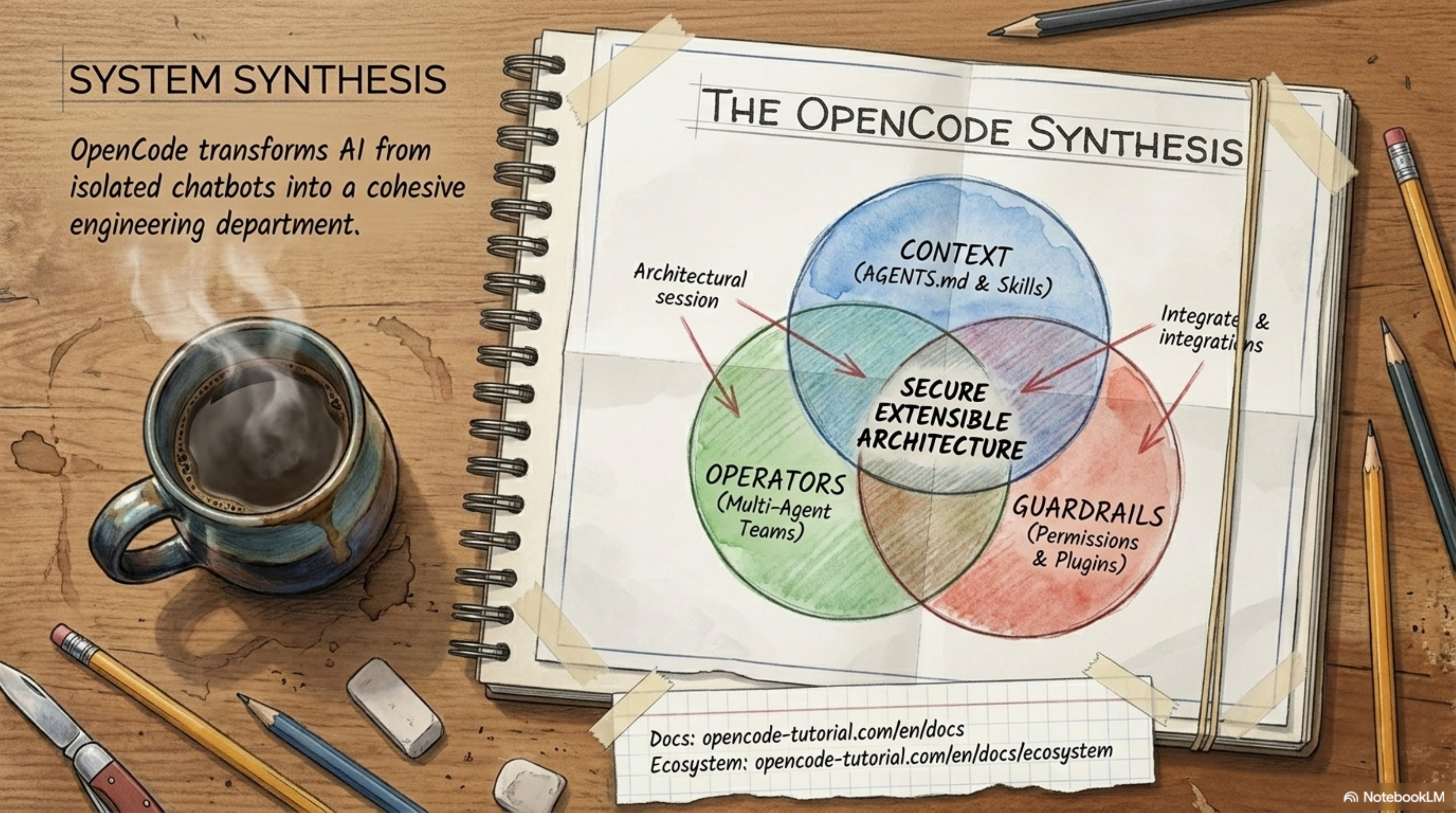
First — OpenCode isn't just a chatbot in the terminal. It's a complete multi-agent system with Build and Plan agents, specialized Subagents (General, Explore, Scout), and each plays its role without overstepping boundaries.
Second — the permission triad (Allow/Ask/Deny) + the hooks system gives you a level of deterministic control that doesn't exist in any other tool — you can write a script to block rm -rf, rewrite commands, or add context automatically.
Third — the event-driven messaging architecture and JSONL append-only storage keep the system fast from start to finish — unlike the polling approach that gets slower as the conversation grows.
Fourth — the AGENTS.md standard made context files not just for OpenCode, but for all AI agents — write once and let 60,000+ repositories read it.
Fifth — crash recovery with manual start, not auto-restart — this protects you from unintentional API burn.
And the question remains: if the AI agent you work with every day truly operates like an entire department — Build, Plan, Explore, Scout — do you need to be the manager, or just the supervisor?
- Crush GitHub Repository — current repo
- OpenCode (archived) — original repo
- Agent Skills Standard — the SKILL.md standard
- Catwalk Model DB — model database
Comments